OpenLoop Download

A follow up tracker for iPhone

Stay close to what matters.

OpenLoop is an app for keeping up with the people you want in your life. After a conversation you write down what was said and pick the day you will come back to it. That is the whole app.

Download on the App Store No account. Data stays on your phone.
OpenLoop home list: each person with where things stand and the last note, follow-ups due today at the top
Everyone, and where you left off

Your whole list, each person showing where things stand and the last note you made about them. Anything due or overdue rises to the top.

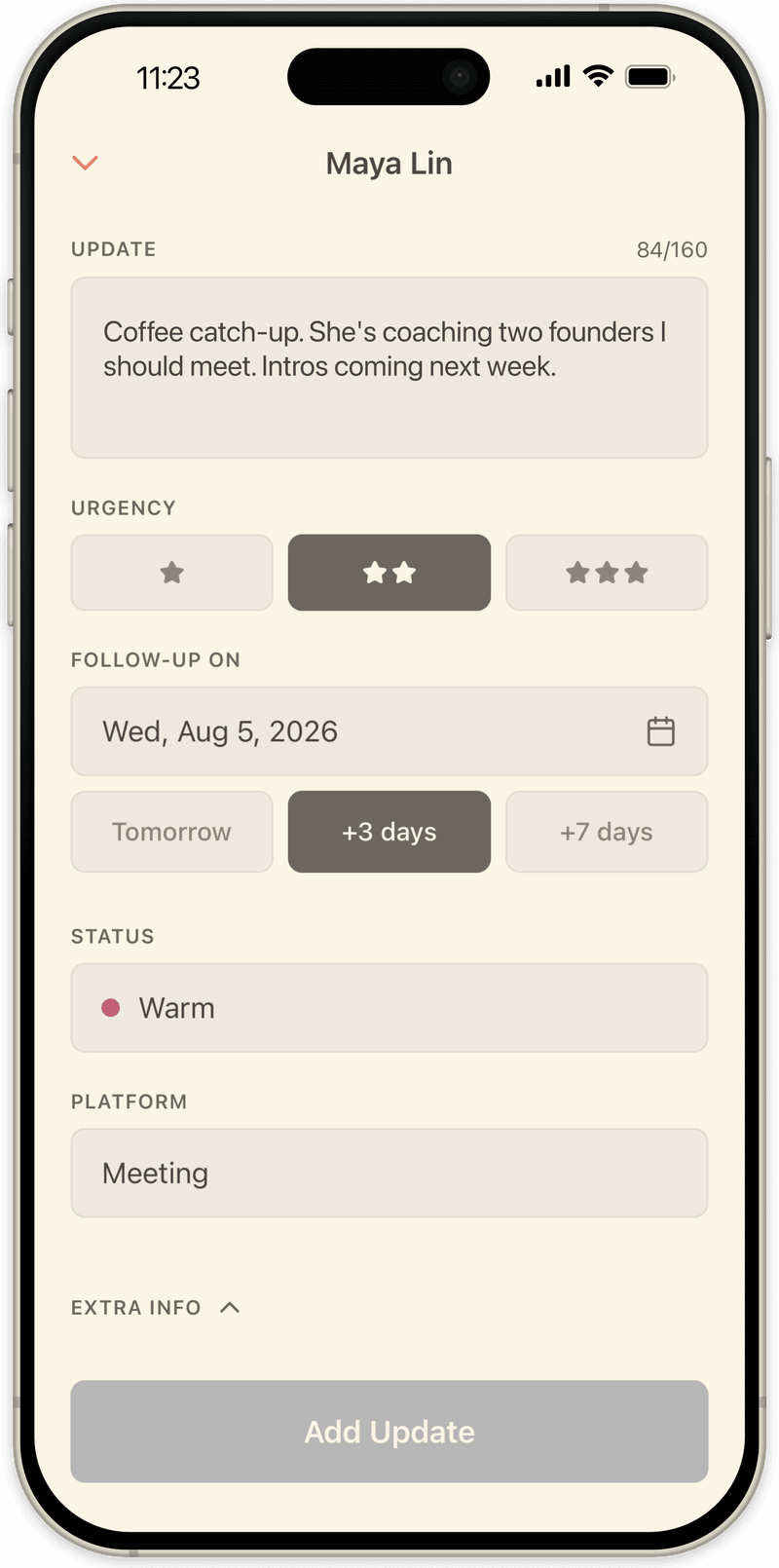
Writing an update in OpenLoop: a short note, urgency, and the day to come back
One micro note

Type what was said, mark how urgent it is, and set the day you will come back. Tomorrow, three days, seven, or a date you choose.

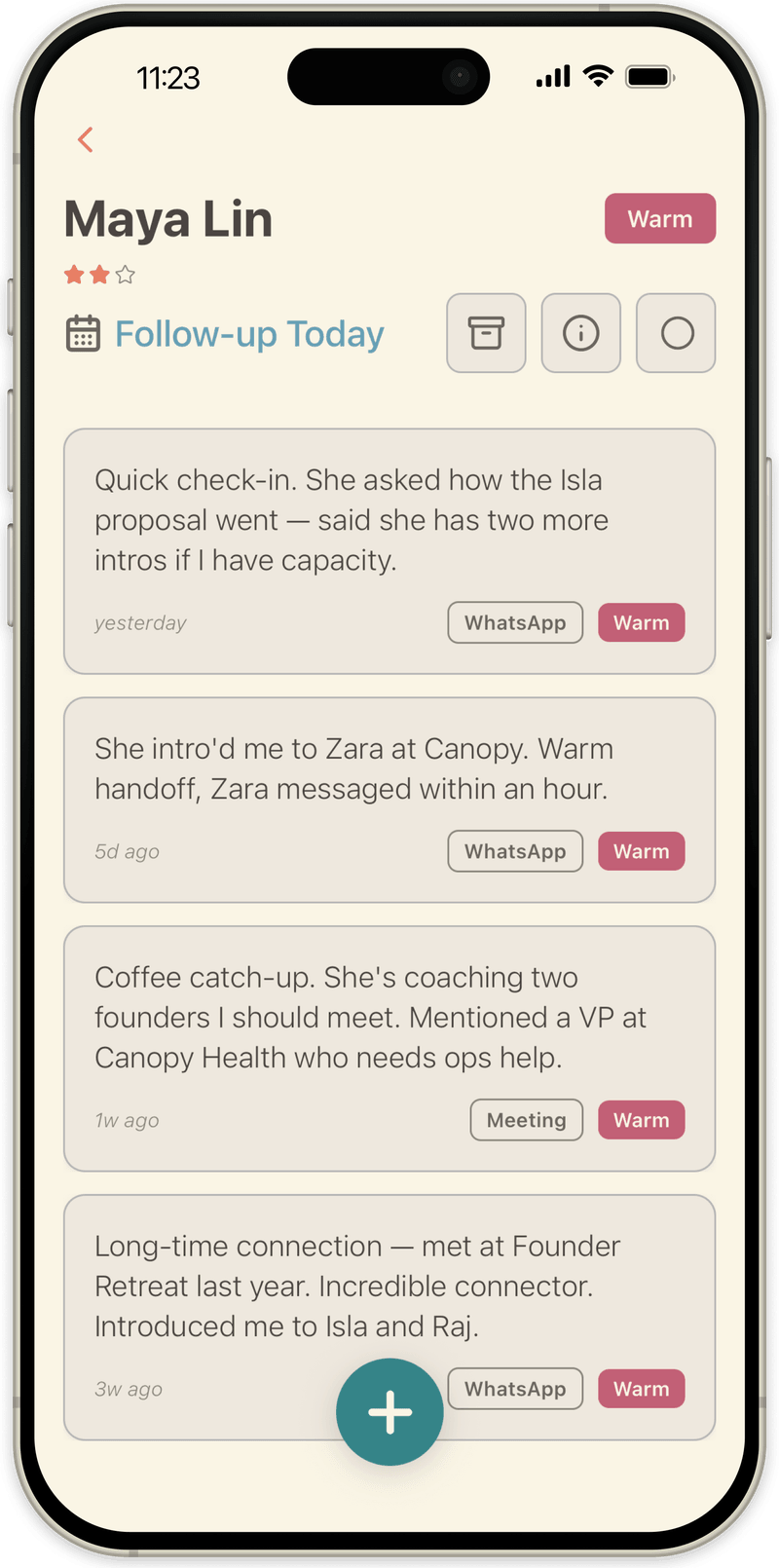
A single contact in OpenLoop with every note about them, newest first
One person, over time

Every note you have made about someone, newest first. Read back through a relationship before you see them again.

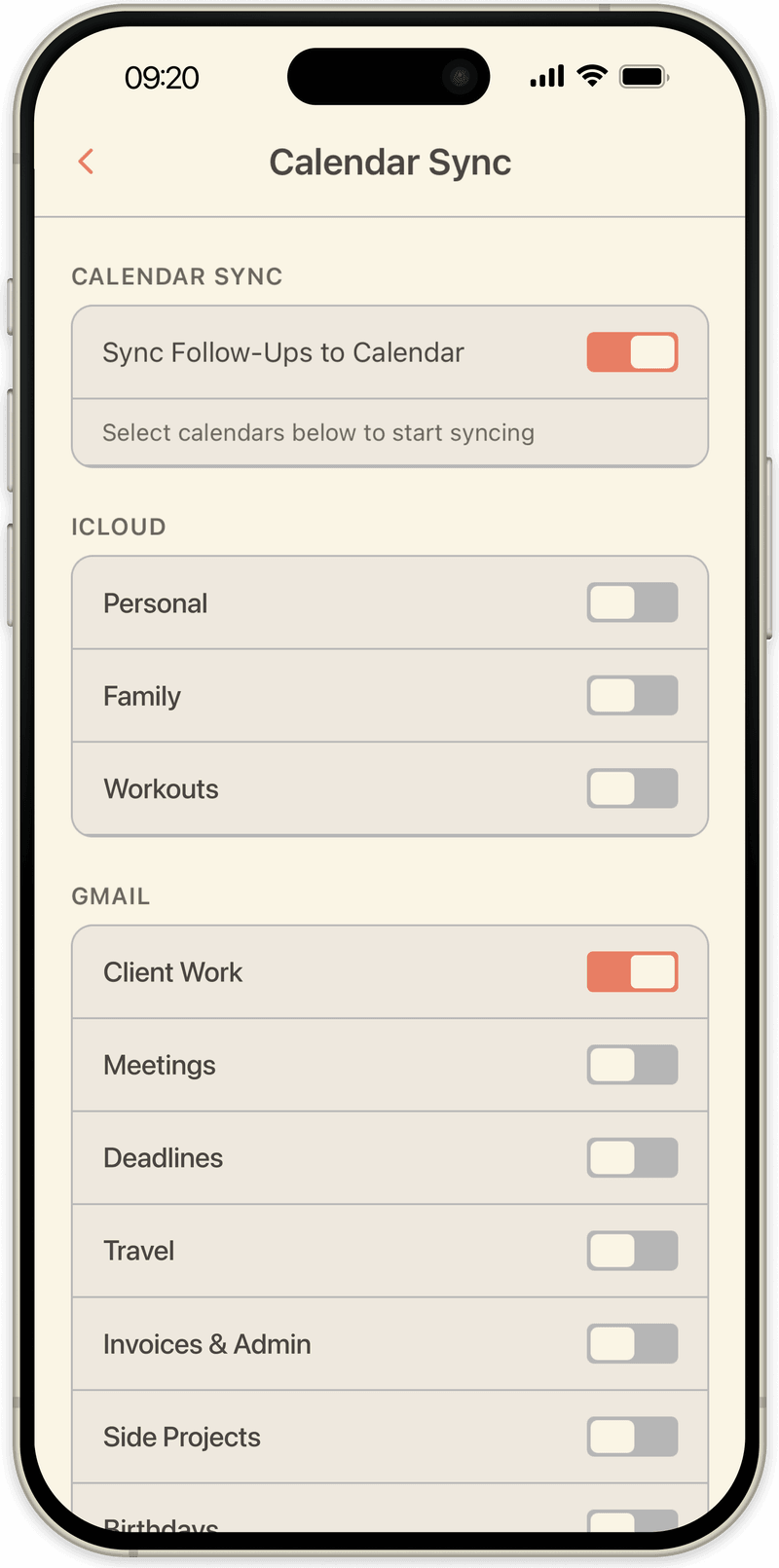
OpenLoop calendar sync settings choosing which iCloud or Google calendars follow-ups write to
Follow ups in your calendar

Pick which iCloud or Google calendars to write to. Each follow up appears beside your meetings on the day you chose.

What it is

A notebook for people, with a memory for dates.

Say you have coffee with someone. Afterwards you open OpenLoop, find their name, and write a micro note: what they are working on, what you offered to do, the thing they mentioned in passing that you will want to remember. Two lines, thirty seconds, filed against the right person. Then you choose a day to come back to them, and OpenLoop puts that day in your calendar.

When the day arrives you open their name again and read back through everything you have written, most recent first. You now know exactly where you left off, so the next message is a real one rather than a vague hello.

You set the rest yourself: how urgent it is, where the conversation happened, and where things stand. Stages, platforms and your own custom fields are all yours to rename and reshape, so the app describes your work rather than a sales process someone else designed.

It is not a sales CRMThere are stages, because relationships have states. There is no forecast, no quota and no team to report to.
It is not automationNothing reads your inbox and nobody is added without you asking.
It is not a system to maintainThree lines after a conversation, then close it.
It is not a social networkNothing is published and there is nobody to add. What leaves does so because you sent it.
Who it is for

People who would rather do it by hand.

  1. 01

    You have somewhere between twenty and a few hundred people you genuinely want to keep up with, and no reliable way of doing it.

  2. 02

    You may well use AI for everything else. For this you want the opposite, because the point is not the record, it is the attention.

  3. 03

    You have tried a CRM for this and stopped, because it asked you to maintain a system rather than keep a habit.

The manual step is not the cost of the app. It is the app.

Why the manual step stays.

Typing out what someone told you takes about thirty seconds. In those thirty seconds you decide what actually mattered, and you remember it a week later.

Software that does this for you leaves you with a record. Doing it yourself leaves you with attention. Those are different things, and only one of them is any use when you sit down with the person again.

So OpenLoop slows you down on purpose. Deliberate over efficient. Doing things well, not fast.

How a conversation becomes a follow up.

01

You write the update

In your own words, with how urgent it is and the date you will come back. Under a minute, while you still remember the detail.

02

The date goes to your calendar

Choose which iCloud or Google calendars to write to. Follow ups sit alongside your meetings, in the calendar you already check, not in another app you have to remember to open.

03

The history is there next time

When the day comes, open the person and read back. Every note you have written about them, in order, from the last coffee to how you first met.

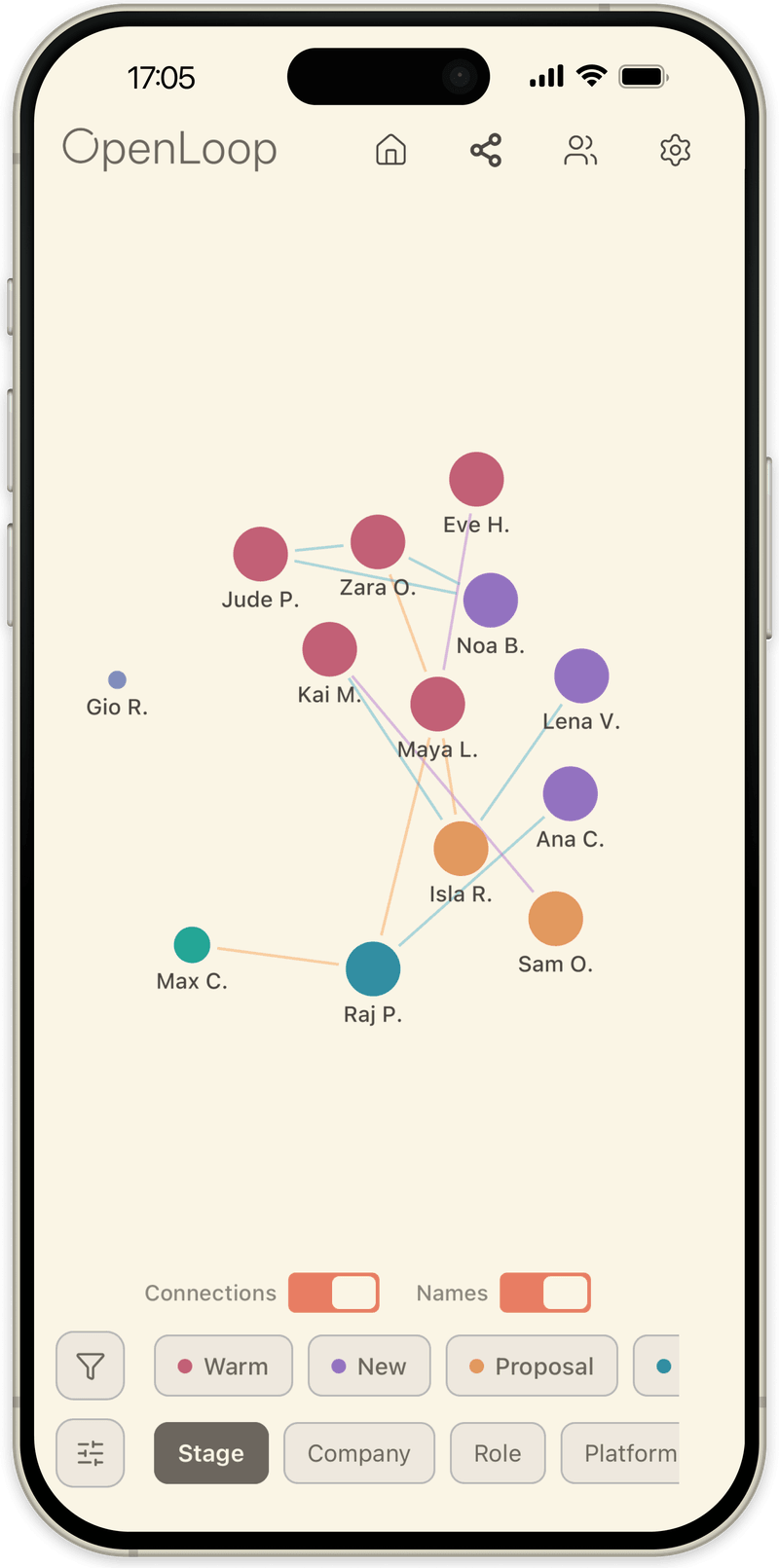
OpenLoop graph view: every contact as a dot, grouped and connected
Everyone at once
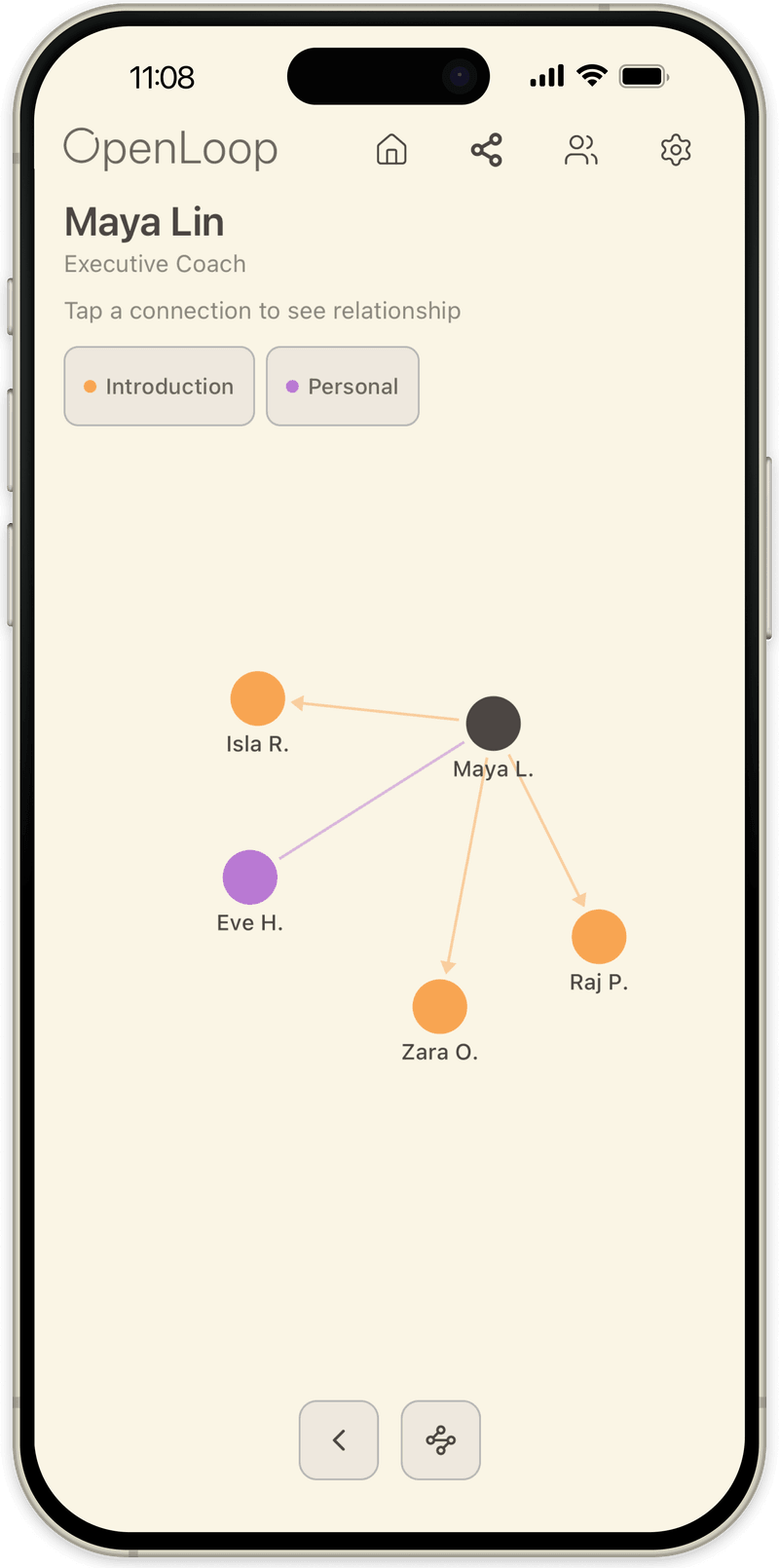
OpenLoop graph view focused on one person and their circle
One person and their circle

Secondary, but useful

Who knows who.

On a contact you can record who they work with, who they are friends with, who they are related to, and who introduced you. Over time that builds a picture of how your circle actually connects.

Each dot is a person, sized by how recently you last wrote about them, so the people you have let slide sit small. Lines are the connections you recorded. Colour groups everyone by stage, company, role, platform or your own custom fields.

Tap a person and the view narrows to them: who they introduced you to, who they know personally, which way each introduction ran. It is not where you spend your time. It is worth ten seconds before a room full of people you half know.

Private by design.

What people tell you in confidence should not need a privacy policy. Everything you write is stored in a database on your phone. Where it can leave, we say so plainly below rather than burying it.

No account
No email, no sign in, no password to reset. Install it and start writing.
On device
Your contacts, notes and follow ups live in a local database on your phone. Nothing you write about a person is sent to us, and there is no copy of it on our side.
Calendar sync, if you turn it on
Follow ups are written as events in the calendars you pick, and the event carries the latest note so it is useful on the day. That text then sits wherever that calendar lives. Sync is off until you switch it on, and turning it off removes the events again.
Usage data, not you
We count when the app opens, which screens get used, and what breaks. There is no account to attach it to and we never ask who you are. Nothing you write about a person is ever part of it.
Yours to leave with
Export every contact, update and connection to JSON or CSV whenever you want, including the day you stop using it.

From the founder

I did not want a CRM. Every one I looked at was too big for what I actually needed.

I wanted something lightweight and simple. Something manageable, that I could open after a conversation and close again a minute later.

I am also heavily into AI, and I find it genuinely interesting. But I think it matters where you place the limits. If you are going to offload responsibilities to it, your active relationships should not be one of them.

So I wanted this one to stay manual, so that I could be more thoughtful about it. Cognizant of what I am doing, thinking about what actually happened and what I want from it. More deliberate, basically. That is why the app works the way it does.

The smaller things

Light, but not bare.

Keeping the app small does not mean leaving out the things that make it pleasant to live with. These are the conveniences, none of which ask anything of you.

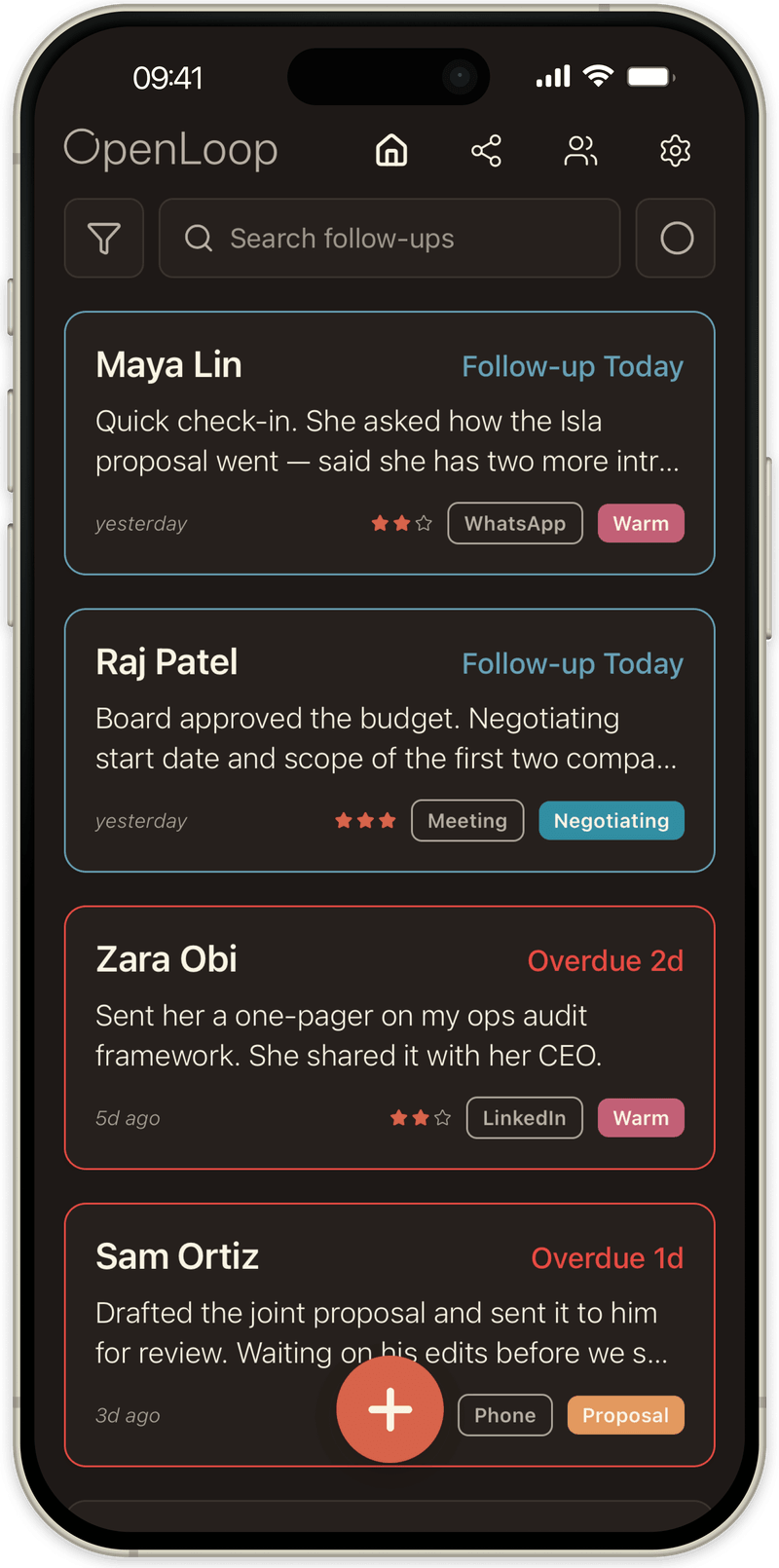
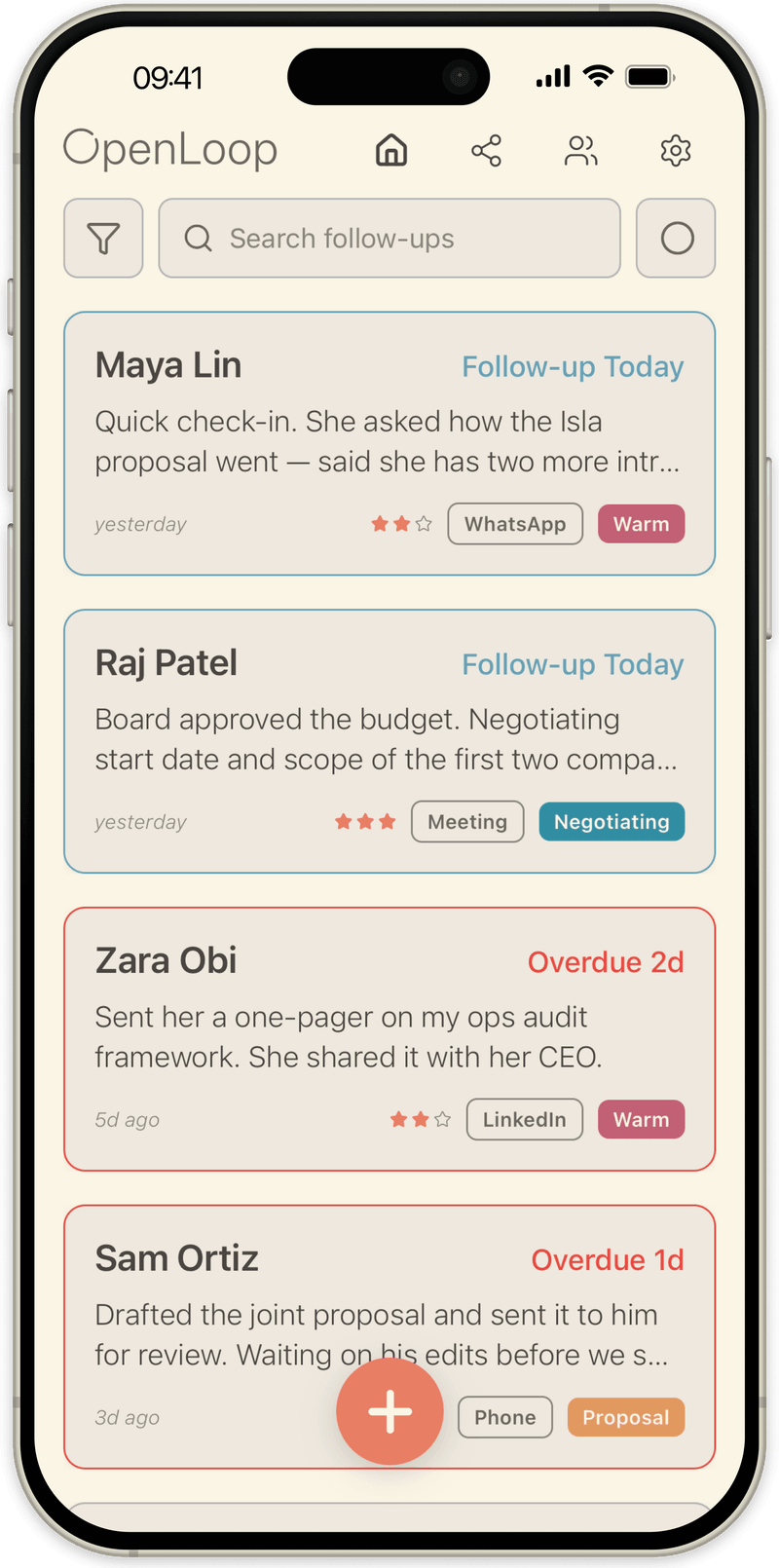
The warm palette follows your system setting into dark, down to the home screen widget.

The OpenLoop list in light mode The same list in dark mode
Find anything

Search across everything you have written, or filter down by stage, company or where you talk.

Start from your contacts

Import the people you already have in your phone rather than typing names in from scratch.

Open the conversation

Note where you usually speak to someone and go straight there. WhatsApp, Telegram, Signal, Messages, email or a call.

A widget on your home screen

Today's follow ups where you will see them, or a quiet tick when there is nothing to do.

Fields you decide on

Add your own text, date or yes or no fields, and pin the ones you check most to the top of a person.

Fourteen languages

English, Spanish, Portuguese, German, French, Italian, Dutch, Turkish, Indonesian, Hindi, Russian, Japanese, Korean and Chinese.

Start with one conversation.

The next good conversation you have, write three lines about it and pick a day. That is the whole method.

Download on the App Store

Free for two weeks. Cancel anytime.